What is Jio UPI? It is the UPI payment feature offered by Reliance’s Jio Financial Services, mainly through the JioFinance app. You can link a bank account, create a UPI ID, scan QR codes, send money to contacts and pay bills, the same way you would in any other UPI app.
Jio UPI is not a separate payment network. It runs on NPCI’s Unified Payments Interface, so a payment from the JioFinance app reaches a PhonePe, Google Pay or bank app user without any problem. Your money also stays in the bank account you link, not with Jio, unless you choose to open and link a Jio Payments Bank account.
This guide covers how Jio UPI started, how to set it up, what it can do, the limits that apply, how it compares with other apps, and what to do when something goes wrong. For every other UPI topic, see our UPI guides hub.
Quick overview
| Item | Details |
|---|---|
| Main app | JioFinance (Android, iOS, also reachable from MyJio) |
| Company | Jio Financial Services Ltd |
| Banking partner in the group | Jio Payments Bank (launched 2018) |
| JioFinance beta launch | 30 May 2024 |
| Full app on Play Store and App Store | October 2024 |
| UPI cash withdrawal at Jio Payments Bank points | Announced 17 March 2026 |
| Charge for UPI payments from a bank account | Nil for users |
What is Jio UPI and how did it start?
Jio’s first step into UPI came in June 2020, when it started offering a Jio UPI ID to users in select cities through the MyJio app. The plan was to make MyJio a single app for recharges, bills and payments.
After Jio Financial Services was listed as a separate company, it launched the JioFinance app in beta on 30 May 2024. That version offered UPI, digital banking through a Jio Payments Bank account, bill payments and a combined view of accounts. In October 2024 a revamped JioFinance app was released on Google Play, the Apple App Store and inside MyJio.
| When | What happened |
|---|---|
| 2018 | Jio Payments Bank launched |
| June 2020 | Jio UPI ID offered in MyJio in select cities |
| 30 May 2024 | JioFinance beta with UPI and digital banking |
| October 2024 | Revamped JioFinance on Play Store, App Store and MyJio |
| 17 March 2026 | UPI cash withdrawal at Jio Payments Bank points announced |
Who Jio UPI suits
- Jio users who already recharge and pay bills in MyJio and want payments in the same place.
- People who want a digital Jio Payments Bank account alongside their main bank.
- Users in areas with Jio Payments Bank business correspondent points who want UPI-based cash withdrawal.
How to set up Jio UPI in the JioFinance app
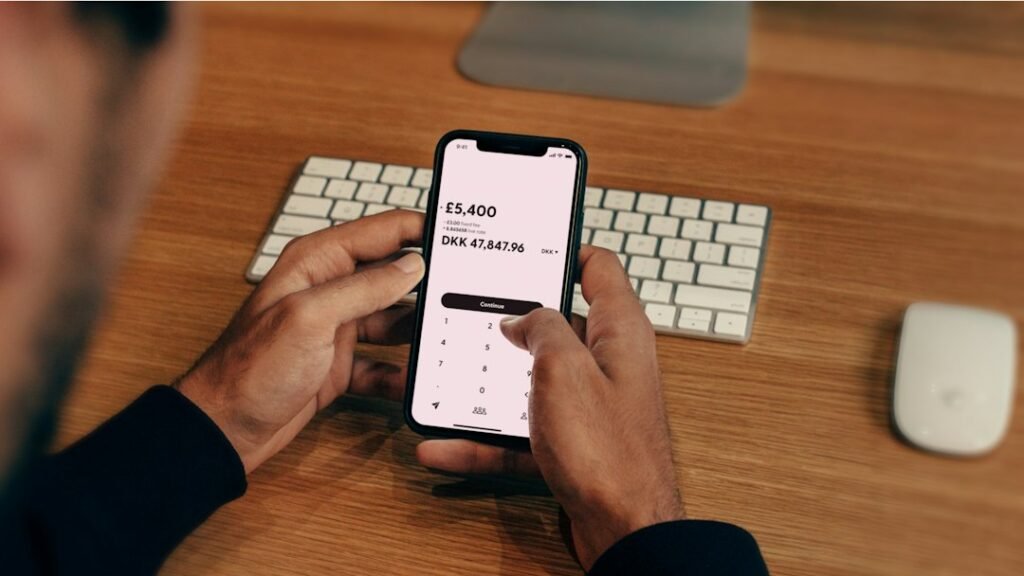
The flow is similar to other UPI apps. Exact screens may vary by version.
- Install JioFinance from Google Play or the App Store, or open it from MyJio.
- Sign in with your mobile number and verify the OTP. Use the SIM whose number is registered with your bank.
- Allow the app to send a verification SMS so it can confirm your number.
- Choose UPI and select your bank from the list.
- The app finds accounts linked to your number. Pick the one you want.
- If you have no UPI PIN for that account, set one using your debit card details or Aadhaar OTP, if your bank supports it.
- Your UPI ID is created. You can now scan QR codes and send money.
The handle after the @ in your Jio UPI ID depends on the partner bank the app uses. Check your profile screen in the app for the exact ID.
Before you start: a short checklist
- The SIM with your bank-registered number is in the phone, with an active plan that allows SMS.
- Your debit card is with you, or you know your bank supports Aadhaar OTP. See our Aadhaar UPI bank list for how that works.
- If you plan to use Aadhaar OTP, the mobile numbers on Aadhaar and in your bank must be the same.
- You have downloaded JioFinance from the official app store, not from a link in a message.
Features of Jio UPI

- Scan and pay: pay any UPI QR code at shops.
- Send to contacts or UPI IDs: transfer to any bank account on UPI.
- Bill payments and recharges: mobile, electricity and other bills from the same app.
- Jio Payments Bank account: open a digital savings account inside the app and link it to UPI.
- Money tracking: see linked accounts and spending in one place.
- Cardless cash withdrawal: since March 2026, Jio Payments Bank lets customers withdraw cash at its business correspondent points by scanning a QR code and approving the withdrawal in a UPI app.
How UPI cash withdrawal works
- Visit a Jio Payments Bank business correspondent point.
- Tell the agent how much cash you want.
- Scan the QR code shown there with a UPI app.
- Check the amount and approve with your UPI PIN.
- Collect the cash once the payment shows as successful, and keep the transaction ID.
Any per-withdrawal cap or charge at these points may vary; check with the agent or in your app before you approve.
Jio UPI limits

Jio does not set a separate UPI system. Limits come from NPCI and your bank.
| Payment type | Typical limit |
|---|---|
| Person-to-person | Up to ₹1 lakh per day (bank may set lower) |
| Verified merchants in categories like insurance, capital markets, travel, loan EMIs | Up to ₹5 lakh per transaction, ₹10 lakh per day (from 15 September 2025) |
| Credit card bill payments via UPI | Up to ₹5 lakh per transaction, ₹6 lakh per day |
| Number of transfers per day | May vary by bank/app; check in your app |
Example: you pay ₹40,000 rent to your landlord at 10 AM through JioFinance from your SBI account. Later the same day you try to send ₹65,000 to a relative. That second transfer fails, because together they cross the ₹1 lakh person-to-person cap. You can send up to ₹60,000, or wait for the limit to reset. If the ₹65,000 were a premium paid to a verified insurer, the higher merchant limit could apply instead, provided your bank supports it. The full picture is in our maximum UPI limit guide.
Jio UPI vs other UPI apps
The payment itself works the same in every app because UPI is common. The differences are in extras.
| Point | JioFinance (Jio UPI) | Other popular UPI apps |
|---|---|---|
| Payment network | UPI (NPCI) | UPI (NPCI) |
| Fee for bank-account payments | Nil | Nil |
| Banks you can link | Any UPI bank | Any UPI bank |
| Extras | Jio Payments Bank account, bills, combined account view | Large merchant networks, offers, other financial products |
| Limits | Set by NPCI and your bank | Set by NPCI and your bank |
Pick the app you find easiest. You can keep more than one, but each app will create its own UPI ID. Our Airtel UPI guide covers a similar telecom-backed option.
Common problems with Jio UPI and fixes
- Bank account not found: the SIM in your phone must carry the mobile number registered with your bank.
- SMS verification fails: check that the SIM has balance or an active plan for SMS, and that you picked the correct SIM slot.
- Cannot set UPI PIN: keep your debit card ready, or use Aadhaar OTP if your bank supports it. Your Aadhaar and bank mobile numbers must match for the OTP route.
- Payment declined for limit: you may have reached your bank’s daily amount or count. Wait for the reset or check the limit with your bank.
- Money debited, payment failed: wait for the auto-reversal. If it does not come back, raise a complaint in the app with the transaction ID.
What to do if money is debited but not received
| Situation | RBI timeline | Compensation if late |
|---|---|---|
| Sent to a person, not credited | Auto-reversal by T+1 day | ₹100 per day beyond T+1 |
| Paid a merchant, not confirmed | Auto-reversal within T+5 days | ₹100 per day beyond T+5 |
- Copy the UPI transaction ID from JioFinance.
- Raise a complaint in the app and with your bank.
- If the bank does not reply within 30 days or you are not satisfied, complain to the RBI Ombudsman at cms.rbi.org.in or call 14448, within 90 days under the 2026 scheme.
More steps are in UPI transaction failed: what to do.
Safety tips for Jio UPI users

- Never share your UPI PIN, OTP or Aadhaar OTP. Jio or bank staff will not ask for them.
- You never need your PIN to receive money or a “cashback”.
- Check the payee name before you approve, especially for QR codes stuck over another code.
- Ignore links in SMS or WhatsApp that claim to “update” your JioFinance app or KYC.
- Report fraud on the cybercrime helpline 1930 and in the app as soon as you notice it.
FAQs
What is Jio UPI?
It is UPI payment service offered by Jio Financial Services, mainly through the JioFinance app.
Do I need a Jio SIM to use Jio UPI?
The JioFinance app is listed on public app stores. Whether a non-Jio number can register may vary by app version; check during sign-up.
Is Jio UPI free?
Sending money from your bank account through UPI has no charge for users.
Can I link any bank to Jio UPI?
Yes, any bank that is live on UPI, provided your mobile number is registered with that bank.
Can I withdraw cash using Jio UPI?
Jio Payments Bank started UPI-based cash withdrawal at its business correspondent points in March 2026. You scan the QR code there and approve in a UPI app.
Is my money held by Jio when I use Jio UPI?
No. Payments are debited from the bank account you link. Money stays with Jio Payments Bank only if you open and fund an account there.
What is the Jio UPI daily limit?
For person-to-person transfers, up to ₹1 lakh per day under NPCI rules. Your bank may set a lower limit.
Conclusion
So, what is Jio UPI in short? A regular UPI service inside the JioFinance app, backed by the wider Jio financial group. It suits Jio users who want payments, bills and a bank account in one place. For background, read when UPI started in India and what @ybl means in UPI, or browse all UPI guides.
Sources: Business Standard, May 2024; Business Standard, October 2024; Inc42, June 2020; Free Press Journal, March 2026; Angel One on NPCI limits; RBI, TAT for failed transactions (2019); RBI Integrated Ombudsman Scheme 2026, salient features.
This guide is for general information only. Limits and features can change; check your bank or UPI app for the latest details. FIIAndDIIData.com is not affiliated with NPCI or any UPI app.