A credit line on UPI lets you pay through any UPI app using a pre-approved loan limit from your bank, instead of money in your savings account. You link the credit line to your UPI app, set a separate UPI PIN, and pay by scanning QR codes like any other UPI payment. You then repay the bank as per the credit line terms.
The RBI first allowed pre-sanctioned bank credit lines on UPI in 2023, and later extended it to small finance banks. From 31 August 2025, NPCI widened the types of credit lines that can be linked and allowed some person-to-person use. Whether you can actually use one depends on your bank offering it. This guide covers the types, linking steps, repayment, real examples, risks and what to do if something goes wrong.
Credit line on UPI: quick facts
| Point | Detail |
|---|---|
| Who offers it | Banks, including small finance banks |
| Where you use it | Any UPI app that supports credit lines |
| PIN | A separate UPI PIN for the credit line |
| Payment limit | Standard UPI caps; ₹1 lakh per 24 hours for P2P and P2M combined (bank may set lower) |
| Person-to-person | Allowed from 31 Aug 2025, subject to bank approval |
| Cash withdrawal | Allowed from 31 Aug 2025, up to ₹10,000 a day |
| Interest and fees | Set by your bank; check the sanction terms |
In simple words: the money you spend is a loan. Your UPI app is just the way you draw on it.
Types of credit lines that can be linked to UPI
Earlier, only overdraft accounts and RuPay credit cards worked on UPI. NPCI’s change from 31 August 2025 added more categories, including:
- Credit against fixed deposits
- Credit against shares or bonds
- Credit against property
- Credit against gold
- Personal loans and business loans
- Unsecured credit lines
- Kisan Credit Card (KCC) loans

Each bank decides which of these it offers on UPI and for what uses. A bank can block a payment that does not match the loan’s purpose. For example, a business credit line may be limited to business-type payments, depending on your bank’s terms.
How to link a credit line on UPI step by step
- Get a credit line sanctioned by your bank and confirm it is enabled for UPI.
- Make sure your mobile number registered with the bank is the one in your phone.
- Open a UPI app that supports credit lines and go to add bank account or add payment method.
- Choose the credit line option and select your bank. The app finds credit lines linked to your number.
- Set a new UPI PIN for the credit line. Keep it different from your savings account PIN.
- Pay by selecting the credit line as the source at checkout.
Menu names vary by app. NPCI says apps can show your credit line status, used amount and EMIs. If your bank’s credit line does not appear, ask the bank whether it has been enabled for UPI on your registered number.
How repayment works
You repay as per your bank’s terms. NPCI lists two common ways: paying into a specific UPI ID given by the bank, or setting an AutoPay mandate where available. Interest, any interest-free period, and late fees are decided by your bank. Read the sanction letter before using the line.

Example: if you spend ₹12,000 from a credit line and your bank charges interest from day one, you pay interest on ₹12,000 until you repay it. If it has an interest-free period, repaying within that time may avoid interest. Check which applies to you.
Real examples of using a credit line on UPI
Example 1: a shop owner. A small trader has a business credit line enabled for UPI. At 10 AM she pays a supplier ₹40,000 by scanning his QR. The amount is drawn from the credit line, not her savings account, and counts towards the UPI cap of ₹1 lakh per 24 hours (her bank may set it lower).
Example 2: hitting the daily cap. If she has already paid ₹80,000 from the credit line today and tries another ₹30,000, the payment will be declined because the total would cross ₹1 lakh in 24 hours.
Example 3: a farmer with a KCC loan. If his bank has enabled the KCC on UPI, he can pay for seeds at a dealer’s QR code. Whether he can also send money to another person depends on the bank allowing P2P on that line.
Credit line on UPI vs RuPay credit card on UPI
| Point | Credit line on UPI | RuPay credit card on UPI |
|---|---|---|
| Physical card | Not needed | Card issued |
| P2P transfers | Allowed from Aug 2025 (bank decides) | Not allowed; merchant payments only |
| Repayment | As per loan terms | Monthly card bill |
| Typical users | New-to-credit users, small businesses, farmers | Existing cardholders |

If you have no savings account at all, both are among the ways to use UPI without a bank account. For general UPI caps, see the maximum limit of UPI.
Who should use a credit line on UPI
- Small businesses that need short-term working capital for supplier payments.
- Farmers with a KCC loan that their bank has enabled on UPI.
- People with an FD or gold loan who want to use that credit without breaking the deposit.
- Not for: anyone who tends to overspend, or who cannot repay on time.
Common mistakes to avoid
- Using the same PIN as your savings account. Set a different one for the credit line.
- Not reading the interest terms. Interest may start from day one.
- Picking the wrong source at checkout. Check whether the app is paying from savings or the credit line.
- Missing a repayment. It can hurt your credit score.
- Paying a fee to “activate” a credit line. Only your bank sanctions it.
Safety tips and risks
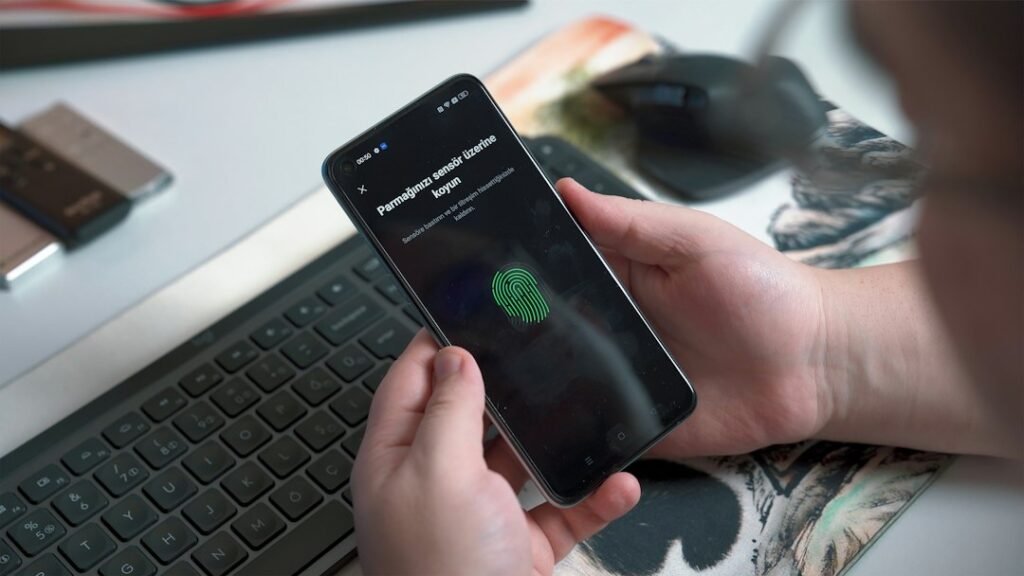
- It is borrowed money. Easy UPI spending can lead to overspending, so set your own monthly cap.
- Late repayment can hurt your credit score.
- Never share the credit line UPI PIN or the OTP sent during linking.
- Ignore calls offering to “activate” a credit line for a fee. Only your bank sanctions it.
- For a wrong debit, use the dispute option (UPIHelp) in your UPI app.
What to do if something goes wrong
| Problem | What to do |
|---|---|
| Credit line not showing in the app | Ask your bank if it is enabled for UPI on your registered mobile number |
| P2P payment declined | Your bank may not allow P2P on that line; pay the merchant directly or use your savings account |
| Payment failed but limit used | Check status in app history; raise a dispute through UPIHelp |
| Wrong amount or unknown debit | Raise a complaint at once; see our UPI dispute redressal and UPI fraud complaint guides |
| Cannot repay on time | Talk to your bank before the due date about options |
FAQs on credit line on UPI
Which banks offer credit line on UPI?
The list changes often. Check NPCI’s credit line page or ask your bank whether your loan can be used on UPI.
Can I send money to a friend from a credit line?
Since 31 August 2025, P2P is allowed, but your bank decides whether to approve it.
What is the limit on a UPI credit line?
Your sanctioned limit, within UPI caps of ₹1 lakh per 24 hours for P2P and P2M combined. Banks can set lower limits.
Can I withdraw cash from a UPI credit line?
From 31 August 2025, cash withdrawal is allowed up to ₹10,000 a day, subject to your bank.
Do I need a separate UPI PIN?
Yes. The credit line gets its own PIN.
Is there interest?
Yes, as per your bank’s loan terms. Some lines may have an interest-free period; check the sanction letter.
How do I repay a credit line on UPI?
As per your bank: usually by paying into a UPI ID given by the bank or through an AutoPay mandate where available.
Conclusion
A credit line on UPI brings bank credit to QR payments without a card. Use it for planned spends, repay on time, and keep its PIN separate. Related reading: UPI Circle, all our UPI guides and our personal finance guides.
Sources: NPCI Credit Line on UPI, NPCI RuPay Credit Card on UPI, Upstox (NPCI changes from 31 Aug 2025), Business Standard (RBI on small finance banks).
This guide is for general information only. Limits and features can change; check your bank or UPI app for the latest details. FIIAndDIIData.com is not affiliated with NPCI or any UPI app.