To update mobile number in bank account, you have three routes: net banking, an ATM, or a branch visit. Net banking and ATM routes need your old number or card to be working. If the old number is lost, the branch route with a written request and ID proof is the practical fix. Do it early, because every OTP and debit alert from your bank goes to the number on record.
Key Takeaways
- You can change your registered number through net banking, an ATM or a branch; the right route depends on whether your old number still works.
- At SBI, the ATM route sends OTPs to both the old and new numbers, so a lost old number means going to the branch.
- RBI makes SMS alerts mandatory. Report an unauthorised transaction within 3 working days of the bank’s message and your liability is zero for third-party breaches.
- For 4 to 7 working days, liability is capped at ₹10,000 on most savings accounts and ₹5,000 on BSBD accounts.
- NPCI asked banks and UPI apps to remove inactive or reassigned numbers, so an old number can also affect UPI access.
Table of contents
- Why your registered mobile number matters
- Before you start: what the bank checks
- Update through net banking
- SBI: the three channels in detail
- ICICI and HDFC Bank: what their pages say
- If you have lost the old number
- RBI rules: alerts and your liability
- What an inactive number does to UPI
- After-update checklist and common mistakes
- FAQs
- The Bottom Line
Why Your Registered Mobile Number Matters
Your registered mobile number is the bank’s line to you. Transaction alerts, net banking OTPs, card OTPs and UPI registration all depend on it. If the number is dead, switched off or now belongs to someone else, you lose the early warning that tells you money has left your account.
This is more than a convenience. Under RBI’s customer protection circular, banks must register customers for SMS alerts on electronic banking transactions, and your protection against fraud is measured from the moment the bank communicates with you. We explain that clock in the RBI section below. First, the practical part.
Before You Start: What the Bank Checks
Changing contact details counts as a KYC-linked update, so banks follow the RBI (Commercial Banks – Know Your Customer) Directions, 2025 when they verify you. In practice, keep these ready before you try any route:
- Your account number and registered name as the bank has it.
- Your debit card and ATM PIN, if you plan to use the ATM or register for net banking.
- One officially valid document, such as a passport, driving licence, voter ID or proof of Aadhaar, for a branch request. If you are still opening the account, our guide on how to open a savings account lists the accepted documents.
- The new number, active and able to receive SMS right now.
Process details differ by bank and change over time, so treat the steps below as a guide and confirm on your bank’s own page before you act. Start with net banking, which is quickest if you already have access.
How to Update Mobile Number in Bank Account Through Net Banking
Most large banks let you change the number after you log in. The menu names vary, but the pattern is the same:
- Log in to the bank’s net banking site or app with your user ID and password.
- Open the profile, personal details or service request section.
- Choose the change-mobile-number option and select the account.
- Enter the new number and confirm any OTP or authorisation the bank asks for.
- Wait for the confirmation SMS or message, and note the request reference.
If you are not yet registered for net banking, some banks let you register using your ATM-cum-debit card details, which then opens this route.
SBI Mobile Number Change: Internet Banking, ATM and Branch
SBI is the largest lender and the most searched case, so here are its three channels, taken from the bank’s own mobile number update guide.
| Channel | Steps | Condition |
|---|---|---|
| Internet banking | Log in to onlinesbi, go to Profile, then Personal Details, then Change Mobile No. Select the account, enter the new number and submit | You must already be registered for internet banking; the page shows only the last two digits of the old number |
| ATM | Choose Registration, enter your ATM PIN, then Mobile Number Registration and Change Mobile Number. Enter and confirm the old number, then the new one. Send the OTP and reference from both SMS messages to 567676 within 4 hours | Needs the debit card, PIN and access to both numbers |
| Branch | Submit a Letter of Request at your nearest branch; the branch verifies you and links the new number | Status SMS is sent to the registered number |
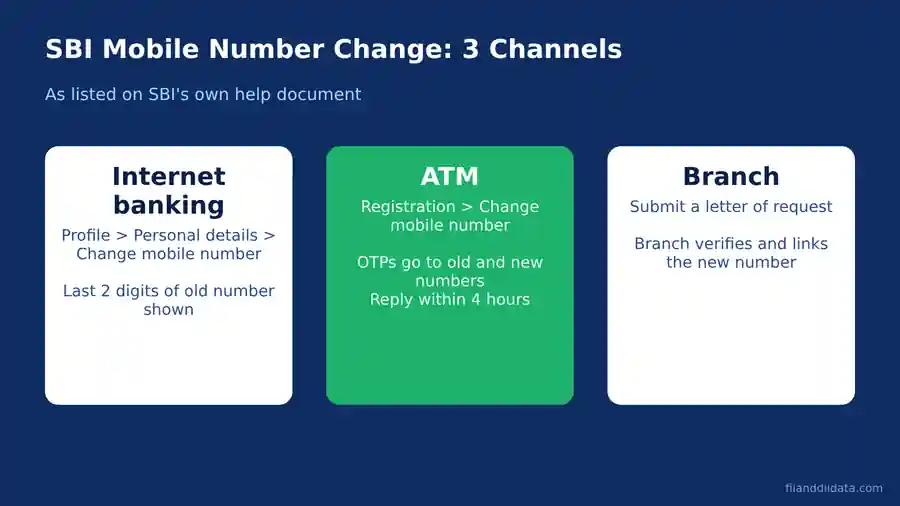
Notice the catch in the ATM row: SBI sends an OTP to the old number and the new number, and you must reply from both. That is why the ATM route fails when the old SIM is gone. Other banks have their own rules, so we checked two more.
ICICI Bank and HDFC Bank: What Their Pages Say
ICICI Bank’s contact number updation terms say a mobile number can be updated by visiting any ICICI Bank branch. The page lists net banking only for changing an email ID, and it says requests are processed within one working day, with the status sent by SMS or email. It does not describe an app or ATM route for the mobile number, so if you bank with ICICI, the branch is the confirmed route on that page.
HDFC Bank offers a Change Mobile Number service among its self-service options. Its page did not list step-by-step instructions when we checked, so use the bank’s net banking, app or branch and confirm the steps on screen. Whatever your bank, a branch request works when digital routes do not, which brings us to the lost-number case.
If You Have Lost the Old Number: Take the Branch Route
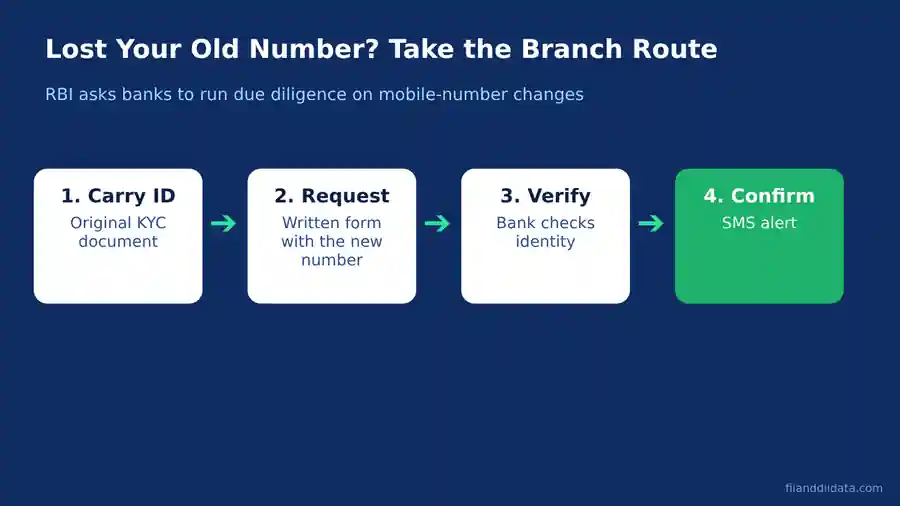
When the old SIM is lost, blocked or already reassigned, any step that sends an OTP to the old number will stall. In that case:
- Carry ID: one officially valid document and your passbook, cheque book or debit card, plus a copy of the document.
- Make the request: write a request letter or fill the bank’s form, giving the account number, the new number and a line saying the old number is no longer available.
- Let the bank verify: the officer checks your identity against bank records.
- Confirm by SMS: the status message should arrive on the new number. Keep the acknowledgement until it does.
Until the new number is linked, check your passbook or statement often. If the old number was stolen, tell the bank at the same visit, because a stranger holding your old SIM can receive your OTPs.
RBI Rules: Why Alerts Decide How Much of a Fraud Loss You Bear
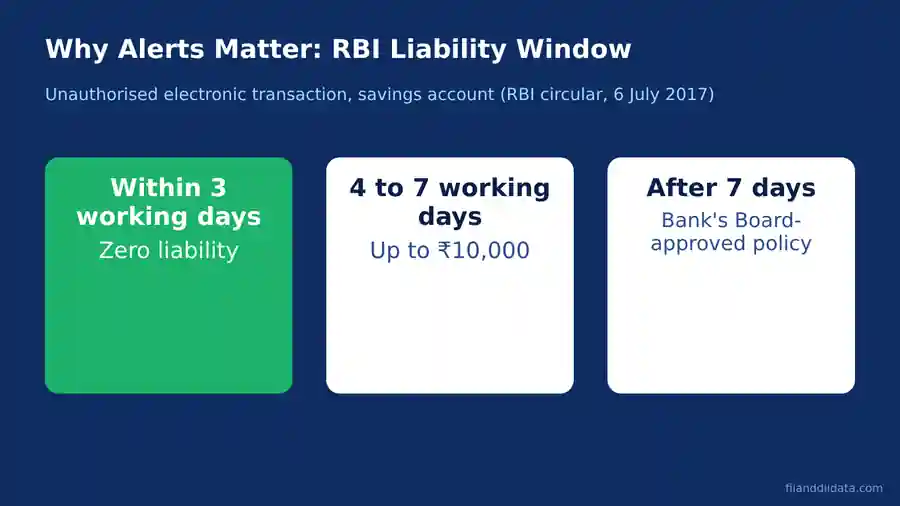
RBI’s circular on limiting liability of customers in unauthorised electronic banking transactions, dated 6 July 2017, sets the rules. Paragraph 5 requires customers to register for SMS alerts and to tell the bank at the earliest about any unauthorised transaction. Zero liability applies in two cases under paragraph 6: where the fault lies with the bank, and where the breach is elsewhere in the system and you inform the bank within three working days of receiving the bank’s communication.
The catch is the phrase “receiving the communication”. If the alert goes to a dead number, you do not receive it, and the clock you depend on may start late or be disputed. Paragraph 7 then limits your liability for reports made in four to seven working days:
| Reported after bank’s message | BSBD account | Other savings accounts |
|---|---|---|
| Within 3 working days | ₹0 | ₹0 |
| 4 to 7 working days | Lower of transaction value or ₹5,000 | Lower of transaction value or ₹10,000 |
| After 7 working days | As per bank’s Board-approved policy | As per bank’s Board-approved policy |
Worked example: a ₹40,000 unauthorised debit
Suppose ₹40,000 leaves an ordinary savings account through a third-party breach. If you report it on working day 2, your liability is ₹0. If you report it on working day 5, it is the lower of ₹40,000 and ₹10,000, so ₹10,000, and the remaining ₹30,000 is not yours to bear under the circular. On a BSBD account the cap would be ₹5,000. After day 7, the bank’s Board-approved policy decides. Where the loss comes from your own negligence, such as sharing an OTP, paragraph 7 puts the entire loss on you until you report it.
If you ever need to act on a fraud, our steps for a UPI fraud complaint show how to report quickly. Beyond fraud, your number also affects UPI itself.
What an Inactive Number Does to UPI
UPI links your bank account to the mobile number registered with the bank. As Business Today reported on 21 March 2025, NPCI directed banks and payment apps such as Google Pay, PhonePe and Paytm to check their records against the Mobile Number Revocation List and remove inactive, reassigned or surrendered numbers. Banks were to warn customers first and could stop UPI access for those who did not update.
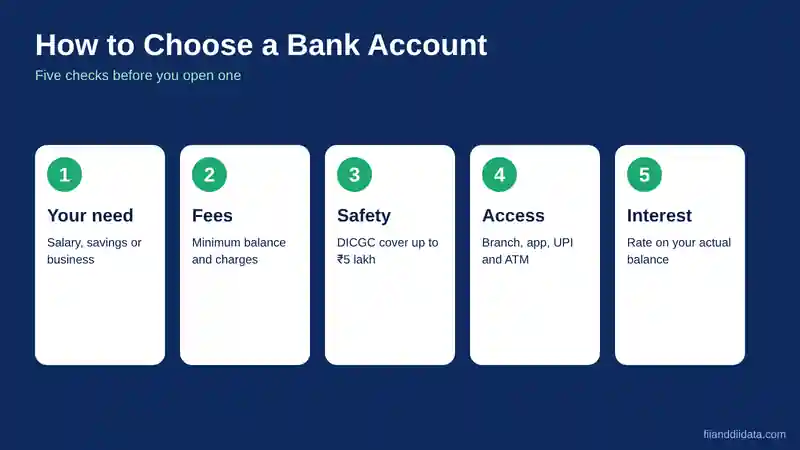
The takeaway holds today: if your bank still has a number you no longer use, update it before UPI or alerts stop working. Compare banks on features like this too; our notes on how to choose a bank account cover the checks that matter.
After-Update Checklist and Common Mistakes
Checklist
- Confirm you got the success SMS on the new number.
- Make a small transaction and check that the debit alert arrives.
- Re-register UPI apps and re-check card OTP settings.
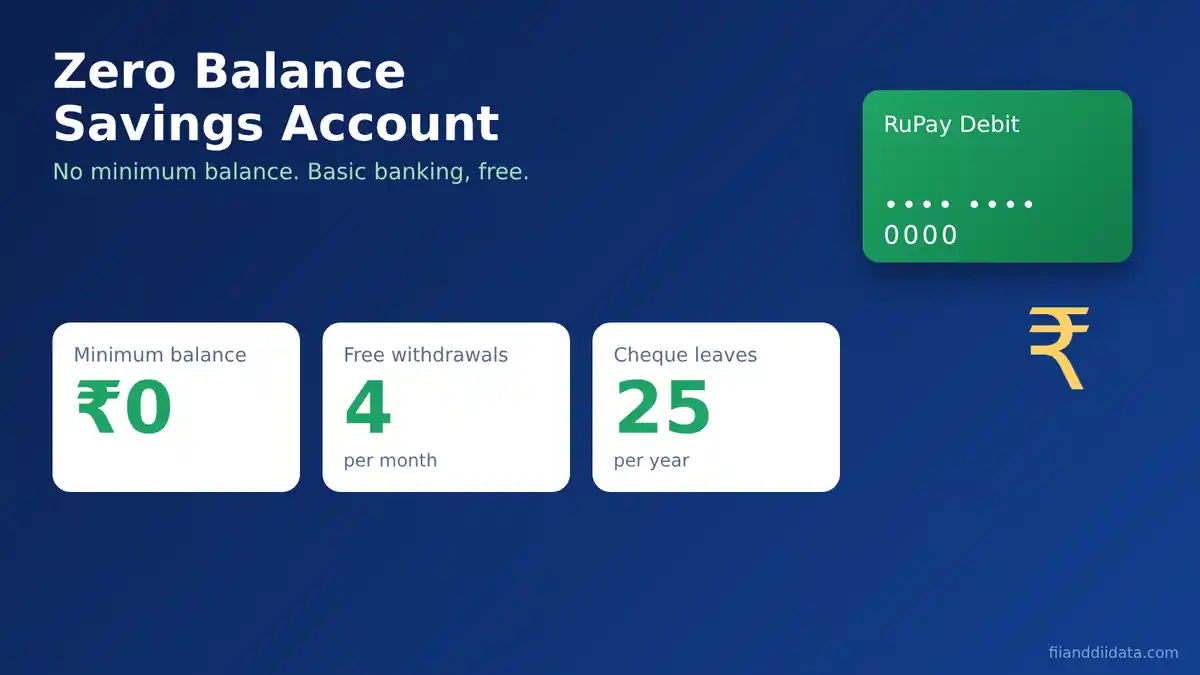
- Update the number on every account, including a no-frills one; our guide to zero balance savings account benefits explains why such accounts still matter.
- Add an email ID for alerts as well.
Mistakes to avoid
- Dropping the old SIM first. Switch the bank record before the old number lapses.
- Updating only one account. Each bank holds its own record.
- Sharing OTPs with “helpline” callers. A genuine bank never asks for OTP, PIN or password.
- Using unofficial apps or links. Use the bank’s own app, site or branch.
FAQs
How to update mobile number in bank account online?
Log in to net banking, open the profile or personal details section, choose the change-mobile-number option, enter the new number and confirm any OTP. At SBI, the path is Profile, Personal Details, Change Mobile No. You must already be registered for internet banking.
How can I change my bank mobile number if I lost the old number?
Visit your branch with an officially valid document and a written request stating that the old number is no longer available. The bank verifies you and links the new number. ATM routes that send OTPs to the old number, as at SBI, will not work.
Can I update my mobile number at an ATM?
At SBI, yes: select Registration, enter your ATM PIN and choose Change Mobile Number. OTPs go to both numbers, and you must send them to 567676 within four hours. Other banks may not offer an ATM route, so check yours.
What happens if my bank has an old mobile number?
You may not receive alerts or OTPs, and UPI access can be affected. NPCI asked banks and apps to remove inactive or reassigned numbers, as Business Today reported in March 2025.
How much am I liable for if an unauthorised transaction happens?
Under RBI’s 6 July 2017 circular, liability is zero for a third-party breach reported within three working days of the bank’s message. For four to seven working days it is capped at 5,000 rupees on BSBD accounts and 10,000 rupees on other savings accounts. After that, the bank’s Board-approved policy applies.
The Bottom Line
Updating your registered number takes minutes if the old one still works and one branch visit if it does not. The stakes are real: alerts are your fraud early-warning system, and RBI’s liability tiers of three days, seven days and beyond are measured against the bank’s communication to you.
Your next step: check which number each of your banks holds today, and fix any mismatch this week. Once your banking basics are in order and you start investing, our FII and DII data pages show how institutional money moves the market, and the blog has more practical money guides. Compare account features in our best savings account in India guide.
Sources: RBI (Commercial Banks – Know Your Customer) Directions, 2025; RBI circular on limiting liability of customers in unauthorised electronic banking transactions, 6 July 2017; SBI, Mobile No. Updation guide; ICICI Bank, e-mail and contact number updation terms; Business Today on NPCI and inactive numbers, 21 March 2025. All pages checked 9 November 2026.
Disclaimer: This article is for educational purposes only and is not investment advice. Please consult a SEBI-registered advisor before making investment decisions.